
Golden Star Casino App for Android and iPhone
Golden Star has no native build in Google Play or the App Store. The mobile version installs as a progressive web app instead: the browser saves the site to the home screen and it opens full screen with its own icon, no store account and no download queue. Everything inside is the same as on desktop, from the game lobby and the sportsbook to the cashier and the bonus history. The desktop version of the site is described on the Golden Star Casino Canada home page.
Golden Star App: a PWA Instead of a Store Download
A progressive web app is a website that a modern browser can install like an application. It keeps its own icon, opens without the address bar and remembers the session, but it is served from the site rather than from a store, which is why gambling brands use this route: store policies restrict real money apps in many regions. It is also not a plain bookmark, because the shell is cached and the app opens full screen rather than in a browser tab.
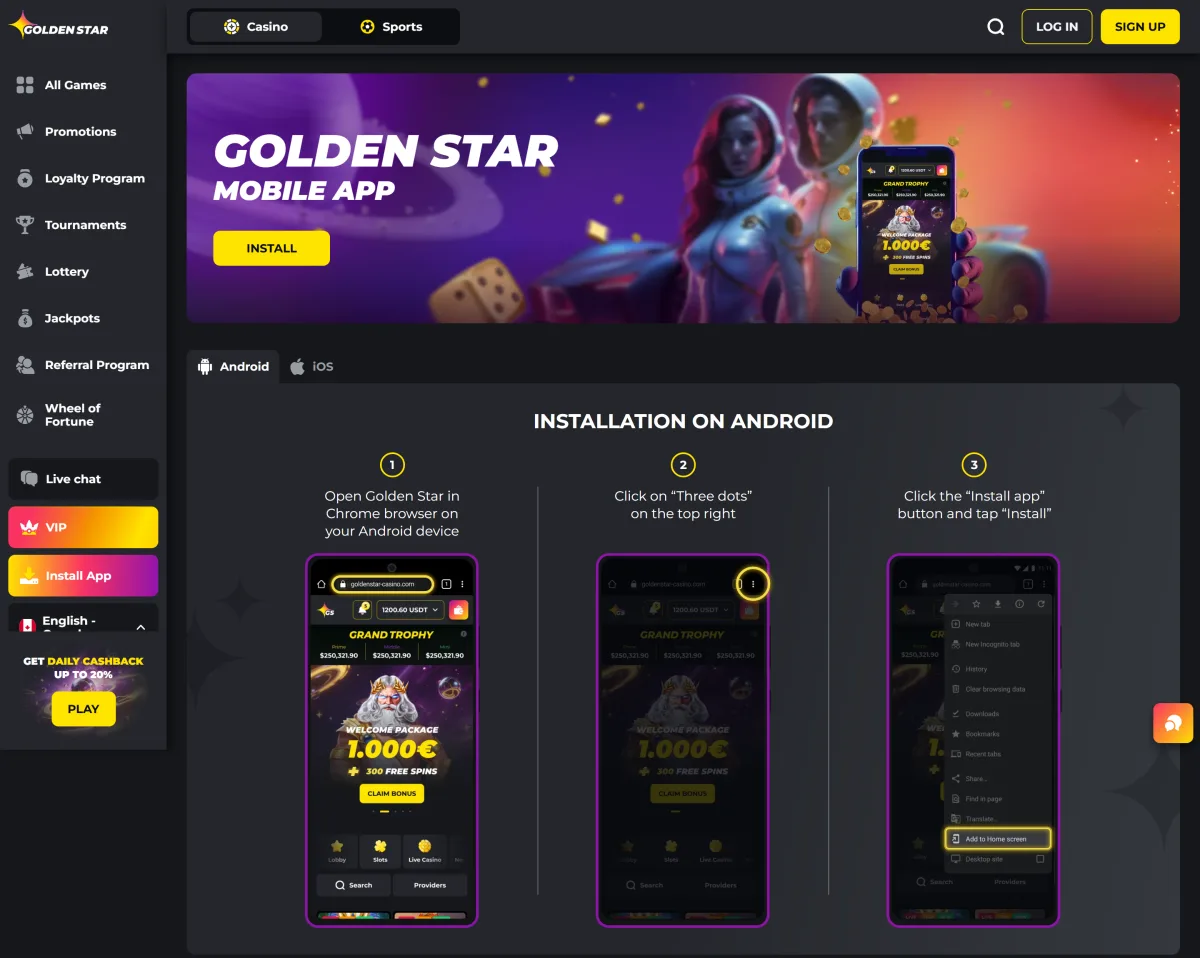
How to Install Golden Star on Android
On Android the install option lives in Chrome. Other browsers may show a shortcut prompt instead, which is not the same thing, so open the site in Chrome before you start.
Open Golden Star in Chrome on your Android device
Load the site in Chrome on your Android phone or tablet and sign in if you already have an account.
Tap the three-dot menu in the top right corner
Tap the three dot menu in the top right corner of the browser window.
Tap Install app and confirm with Install
Choose Install app and confirm with Install. The icon appears on the home screen straight away.
How to Install Golden Star on iPhone and iPad
On iPhone and iPad the install path runs through Safari. Chrome and other iOS browsers do not offer Add to Home Screen for web apps, so switch to Safari first.
Open Golden Star in Safari on your iPhone or iPad
Load the site in Safari on your iPhone or iPad. Other iOS browsers do not offer the install option.
Tap the Share button
Tap the Share button in the bottom toolbar.
Scroll down and choose Add to Home Screen
Scroll the list, choose Add to Home Screen and confirm the name.
Device Requirements
The requirements are modest because nothing large is downloaded. Any current Android phone or tablet with Chrome, or any iPhone or iPad with Safari, handles the app. A stable connection matters more than hardware: live tables and the sportsbook stream continuously, so a weak signal shows up as a lag in the odds rather than as a crash.
| Platform | Browser | Notes |
|---|---|---|
| Android | Chrome | Install app in the three dot menu |
| iOS | Safari | Share, then Add to Home Screen |
App or Mobile Website: What to Choose
Both routes reach the same site and the same account. The difference is convenience: the installed app puts an icon on the home screen and opens full screen, while the mobile site works in a tab without any setup at all.
| Feature | PWA | Mobile site |
|---|---|---|
| Icon on the home screen | Yes | No |
| Storage used | Almost none | None |
| Updates | Automatic | Automatic |
| Access to bonuses and cashier | Full | Full |
What You Can Do in the Golden Star App
The app is the full site, not a cut down version. Everything below works from the same balance and the same login.
Play 2,500+ casino games
More than 2,500 slots, live tables, jackpots and crash titles, all filterable by studio.
Place sports bets
Pre-match and live odds with the same Place Bet flow used on desktop.
Deposit and withdraw
Deposits from $20 and withdrawals from $30 through the same cashier.
Claim bonuses and promo codes
Promo codes go into the bonus field during payment exactly as they do on desktop.
Spin the Super Star Wheel
Daily wheel spins earned through turnover stay available in the app.
Contact live chat support
The live chat button follows you through the app and works around the clock.
Welcome Bonus for App Players
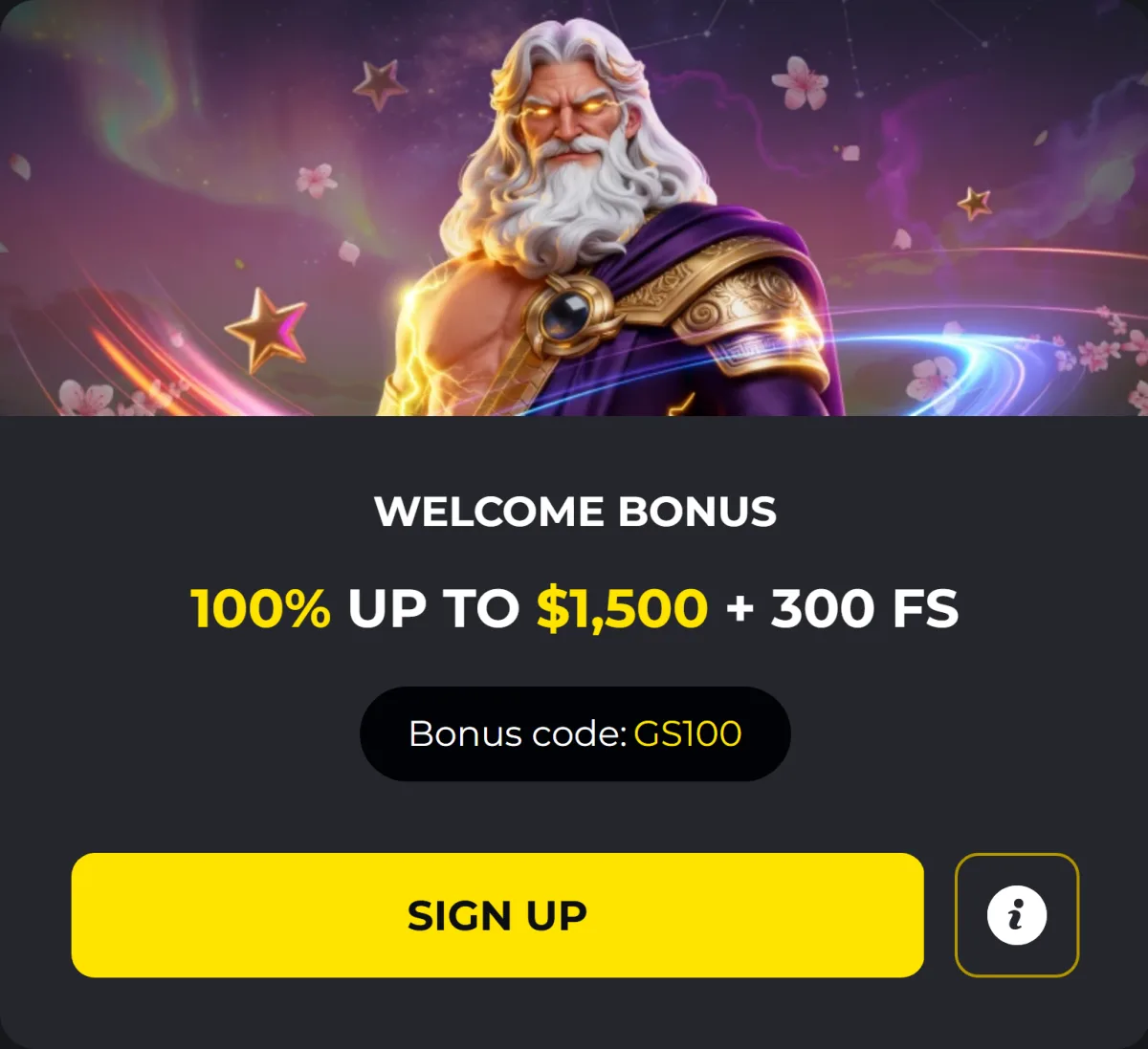
Installing the app does not change the offer: the welcome package is still 100% up to $1,500 with 300 free spins on code GS100, followed by 75% up to $750 with 50 spins and 50% up to $750. Weekly reloads, the Wednesday spins and daily cashback of up to 20% all run inside the app as well. Terms for each offer are on the Golden Star casino bonus page.
Deposits and Withdrawals in the App
The cashier in the app is the same one used on desktop: cards, e-wallets, bank transfer and seven cryptocurrencies, with a minimum deposit of $20 and a minimum withdrawal of $30. Crypto and e-wallet payouts clear almost instantly, cards take up to 5 days and bank transfers about 7. Limits and fees are set out on the payment methods page.
Common Installation Issues
If Install app is missing from the Chrome menu, the site is probably already installed or the browser is not Chrome. On iOS the option only appears in Safari, and only from the Share sheet rather than the address bar. When the icon opens a blank screen, clear the browser cache and install again. To reinstall, remove the icon from the home screen the same way you would delete an app, then repeat the steps above.